Hellraiser: Revival Deluxe Edition Guide, Day-1 Patch Notes & PC Stutter Fixes
How to claim your Hellraiser: Revival Deluxe Edition skins, enable the 80s horror filter, view Day-1 Patch 1.02 release notes, and fix PC shader stutter.
 Hellraiser Game Hub Editors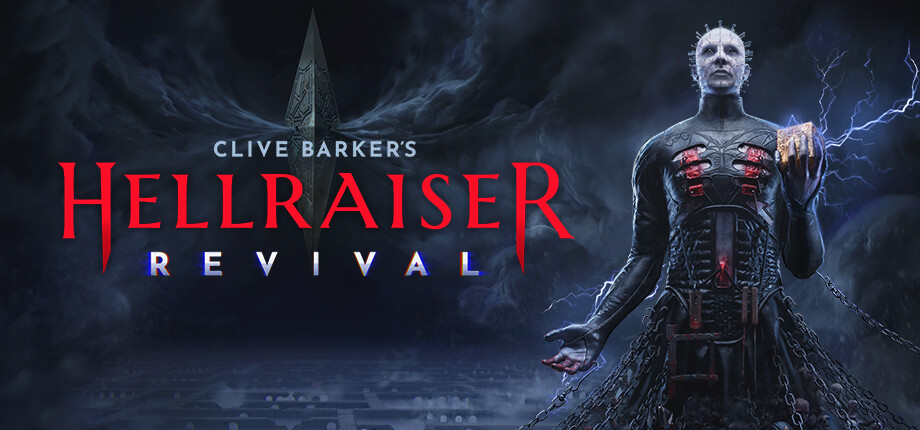
Hellraiser: Revival Deluxe Edition Guide, Day-1 Patch Notes & PC Stutter Fixes
- •Saber Interactive Official Support & Community Hub(Official Developer)
- •Steam Community Hub & Reddit Bug Megathread(Verified Player Reports)
- •PlayStation Store DLC Content Delivery Logs(Platform Verification)
- •Gameranx Launch Technical Review(Hardware Performance Benchmark)
Zero AI Hallucinations: All DLC claim instructions, Patch 1.02 release notes, and NVIDIA shader cache stutter fixes were verified against official Saber Interactive publications.
How to Enable '80s VHS Filter: Pause Menu → Options → Video & Display → Toggle Retro Cinema Filter ('80s VHS / Grindhouse Grain) to Enabled. (No in-game item needed).
Where to Claim Deluxe Weapon Skins & Tokens: Wake up in the Chapter 1 Basement Safehouse (after meeting Zora) → Open the Iron Supply Chest next to the typewriter save point.
Top Stutter Fix (NVIDIA GPUs): NVIDIA Control Panel → Manage 3D Settings → Set Shader Cache Size to 10 GB. Set in-game Lumen GI and Volumetric Fog to High/Medium.
Following the worldwide release of Clive Barker's Hellraiser: Revival on October 8, 2026, players around the globe have descended into the Labyrinth. While Doug Bradley's reprisal as Pinhead has garnered widespread praise, many players have had questions about unlocking Deluxe Edition DLC bonuses, activating the vintage '80s movie filter, and troubleshooting Day-1 PC performance quirks.
This comprehensive update hub aggregates official solutions, patch notes, and troubleshooting steps directly from Saber Interactive and community reports.

Hellraiser: Revival — Gameplay, Deluxe Features & Performance Overview
1. Deluxe Edition & Pre-Order DLC: How to Claim Your Items
The Deluxe Edition ($49.99) and pre-order packages include exclusive cosmetic items, a bonus weapon skin, extra starting ammunition, and the vintage horror film aesthetic.
Where to Find Your Bonus Content In-Game:
-
The '80s Horror Movie Filter:
- You do not need to find an item in-game to enable this.
- Open the Pause Menu or Main Menu → Navigate to Options → Video & Display.
- Scroll down to Post-Processing Effects and toggle Retro Cinema Filter ('80s VHS / Grindhouse Grain) to Enabled.
- Tip: This adds authentic CRT scanlines, 35mm film grain, chromatic aberration, and a warm analog color grade reminiscent of the 1987 original movie.
-
Weapons Skins & Merchant Tokens:
- Progress through Chapter 1 until you awaken in the Basement Safehouse (after meeting Zora for the first time).
- Interact with the Iron Supply Chest located next to the typewriter save station.
- Opening the chest automatically grants the Lament Engraved Service Pistol Skin, 100 Bonus Flesh Currency, and 1x Merchant Zora 20% Discount Voucher.
-
Missing DLC Items on Steam or PS5? (Fix):
- Steam: Right-click Clive Barker's Hellraiser: Revival in your library → Properties → DLC tab → Ensure the checkmark next to "Deluxe Upgrade Pack" is ticked. If already ticked, uncheck it, restart Steam, and re-check it.
- PlayStation 5: On the home dashboard, highlight the game tile → press the Options button (☰) → Select Manage Game Content → Ensure the Deluxe add-ons display as Installed.
2. Day-1 Patch 1.02 Official Release Notes
Saber Interactive rolled out Patch 1.02 across PC, PlayStation 5, and Xbox Series X|S to address initial stability and gameplay pacing feedback from launch weekend:
Stability & Performance
- Shader Compilation: Resolved stuttering spikes when entering the Cathedral nave and Leviathan Gateway zones on DirectX 12.
- Crash Fixes: Addressed a rare GPU driver timeout crash during the transition into Chapter 3's flooded sub-basement.
- Console Dynamic Resolution: Improved baseline dynamic scaling on PS5 and Xbox Series X to maintain a steady 60 FPS in Performance Mode during heavy volumetric smoke scenes.
Gameplay & Balance Tweaks
- Stealth Detection Radius: Slightly reduced Cenobite auditory detection ranges on "Standard" difficulty, giving players more time to sneak behind obstacles.
- Melee Weapon Durability: Increased baseline durability on Pipe Wrenches and Fire Axes by 15% across all chapters.
- Keypad Input Responsiveness: Fixed an input lag bug where rapidly entering keypad codes would drop the fourth digit on controller thumbsticks.
3. PC Stutter & Shader Compilation Fixes
If you are experiencing micro-stutters when moving between rooms or turning Aidan's flashlight on and off in Unreal Engine 5, apply these verified community optimizations:
Step 1: Increase DirectX Shader Cache in NVIDIA Control Panel
- Close the game.
- Open NVIDIA Control Panel → Click Manage 3D Settings in the left sidebar.
- Under Global Settings, locate Shader Cache Size.
- Change the value from Driver Default to 10 GB (or Unlimited).
- Click Apply and reboot the game. This prevents UE5 from constantly purging pre-compiled pipeline state objects (PSOs).
Step 2: Optimal In-Game Engine Settings
- Lumen Global Illumination: Set to High rather than Epic. Epic enables software ray-traced bounce lighting that can cut framerates by 25% with minimal visual gain.
- Volumetric Fog Quality: Set to Medium. Hellraiser's heavy gothic mist looks virtually identical on Medium while freeing up 4-6 GB of VRAM bandwidth.
- Upscaler: Enable NVIDIA DLSS (Quality Mode) or AMD FSR 3 (Quality Mode) with Sharpness set to 0.35.
4. Physical Collector's Edition Status Update
Due to custom manufacturing delays with the physical Lament Configuration Prop Replica, Saber Interactive confirmed that boxed Collector's Editions are shipping in waves throughout late October 2026.
If your boxed copy was delayed:
- All physical pre-order customers have received a digital game activation code via email from their retailer to begin playing immediately on release day.
- Check your spam folder for sender notifications from Saber Support or your retailer of purchase (Amazon, Best Buy, GAME).
Next Objectives & Recommended Walkthroughs
- ⚙️ In-depth PC Benchmark: Compare full hardware specs with our PC System Requirements & FPS Optimization Guide.
- 🔫 Upgrade Your Deluxe Weapons: Maximize firearm stats with the Weapons Tier List & Merchant Zora Guide.
- 🔑 Find Free Ammo & Supplies: Check our All 10 Safe Codes & Keypad Guide.
Related Walkthroughs & Strategies
Hellraiser: Revival 100% Trophy & Achievement Roadmap: All 20 Leviathan Relics
Complete 100% Platinum trophy roadmap for Clive Barker's Hellraiser: Revival. All 20 Leviathan Relic locations, missable achievements, and speedrun tips.
Hellraiser: Revival All Safe Codes & Keypad Combinations Guide
Complete list of every safe code, keypad door combination, and locker password in Clive Barker's Hellraiser: Revival, plus Codebreaker achievement unlock.
Hellraiser: Revival Puzzle Solutions: Bruno's Mansion, Statues & Scripture Bells
Step-by-step puzzle solutions for Clive Barker's Hellraiser: Revival. How to solve Bruno's Mansion rotating safe, Sacrifice Room statue puzzle, and Scripture Bells.